Photo to Cartoon AI

GTA 6 Filter for Photos

Popular Photo Effects

Try Sample Images

0/1000
Credits:4

Recent Photos

Your latest cartoonize tasks stay here while they process.

View All

Loading recent tasks...

Three photos to try with the GTA 6 Filter

The GTA 6 Filter redraws your photo as an original illustrated game poster. A face, a car and a street each give the same treatment something different to work with. These illustrations show three possible directions for your own photo.

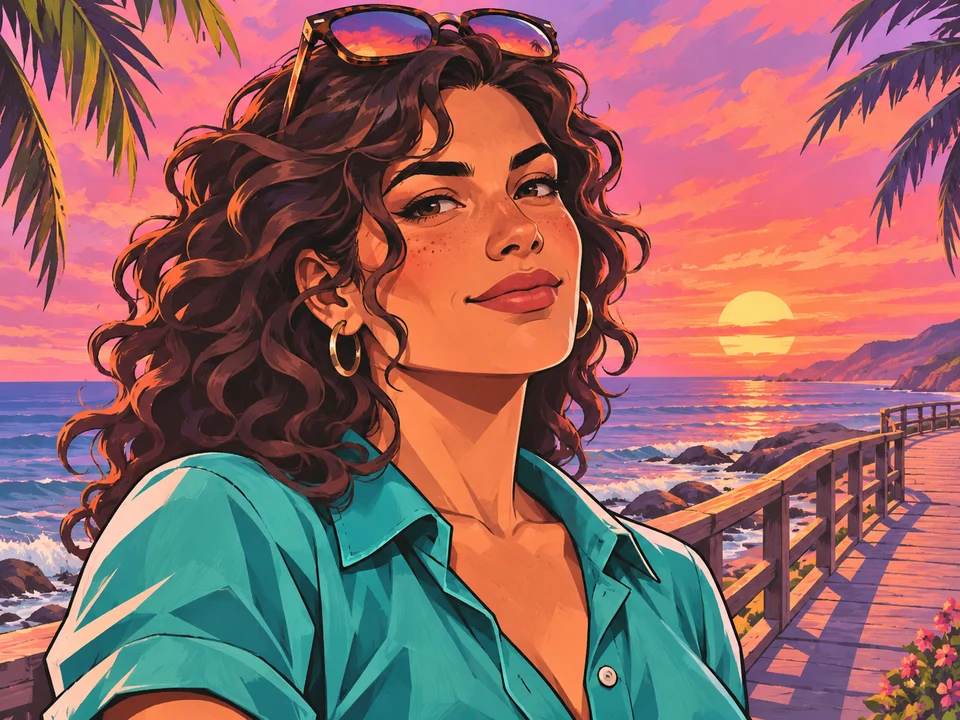
A sunset portrait with a recognizable face

A sunset portrait with a recognizable face

Start with a clear selfie or shoulder-up portrait. The strong outlines make small details like glasses and curls easier to read, while a coral sky brings warmth to the scene. Ask to keep your expression and outfit if those details make the photo feel like you. For a profile picture, leave a little space above the head and choose a square output so important details stay inside the crop.
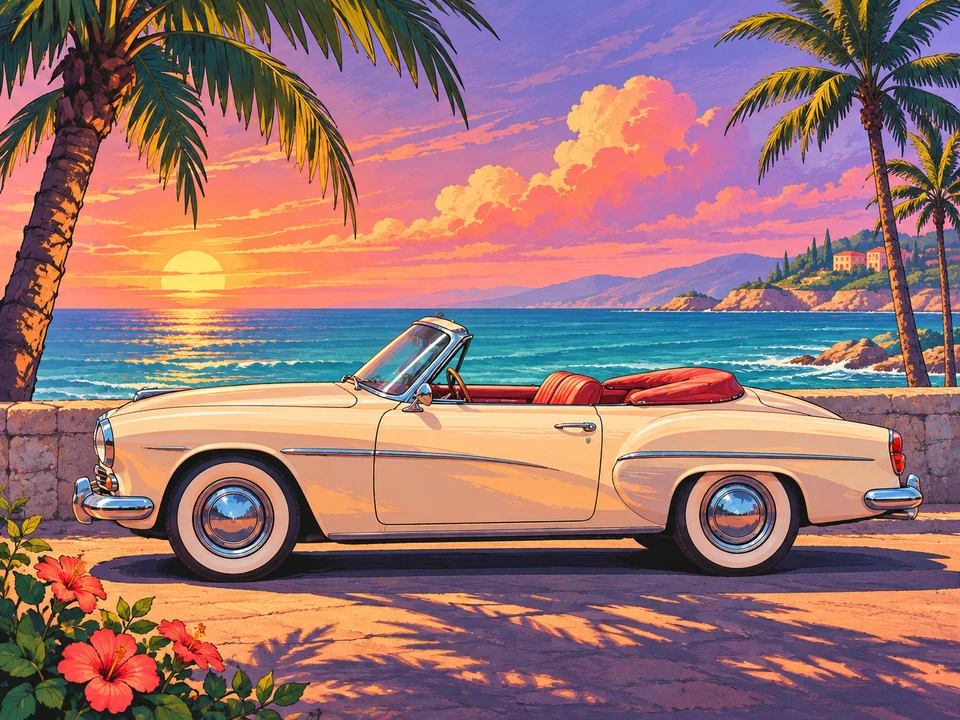
A coastal road poster for a car photo

A coastal road poster for a car photo

A side or three-quarter view gives the illustration a distinct silhouette. With the GTA 6 Filter, try asking for cool teal shadows along the bodywork and golden light on the edges. If the paint color or wheel shape matters, name it in the prompt. For a wider composition, start with a photo that already shows some road or sky around the vehicle.

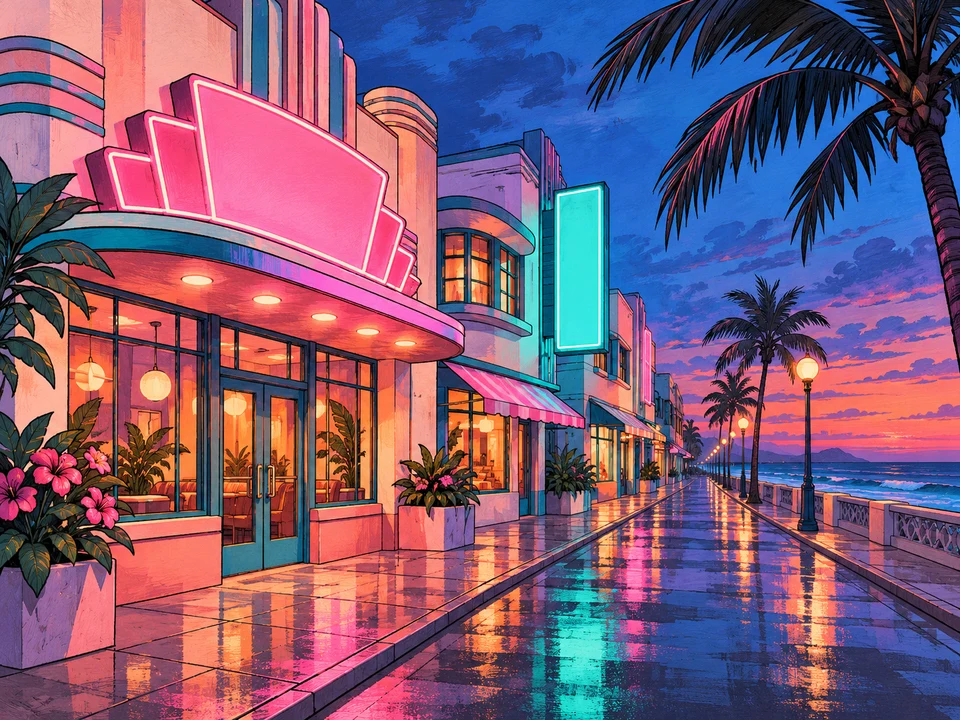
A neon street illustration after dark

A neon street illustration after dark

Choose a street photo with a clear vanishing point, so the eye can follow the road into the frame. Pick two lighting colors for your prompt and let them recur in the windows, sky and pavement. Pink and teal work particularly well with deep violet shadows. If the street is already recognizable, ask to preserve the positions of the buildings and use the lighting to change the mood.

How to apply the GTA 6 Filter

Choose a photo whose subject you can already see clearly. The image sets the composition, and an optional prompt gives the model a specific direction for the light, palette or setting.

  1. 1

    Open Cartoonize AI and upload a photo

    Open cartoonize.ai and select GTA 6 Filter from Photo Effects. Upload the selfie, car photo or city scene you want to illustrate. If the picture has several people or objects, crop it around the subject you want to emphasize before uploading.

  2. 2

    Describe the details you want to keep

    Leave the prompt blank to use the preset, or add a short instruction. Try “Keep the cream convertible and add a peach sunset” to tell the model both what should stay and what should change. If your first result changes a detail you care about, name that detail on the next try.

  3. 3

    Choose the shape and resolution

    A square crop works well for a profile photo, a tall crop for a phone wallpaper, and a wide crop for a road or street scene. Select 1K, 2K or 4K and choose how many results to generate. Check the Credits beside the generate button before submitting.

  4. 4

    Generate, compare and download

    Review the results at a comfortable size. Check the face, hair, vehicle shape and background details that matter to you, then download the version that fits your use. You can adjust the prompt and generate another version if the first result takes the scene in a different direction.

Make a game poster from your photo

Choose a photo with a clear subject, then use the GTA 6 Filter to try a coastal sunset or a neon night scene.

Create a game-style photo

GTA 6 Filter questions

What does the GTA 6 Filter change in a photo?

It redraws the source as a type of game-poster illustration, using ink contours, distinct areas of light and shadow, and stronger colors. The image can change in composition as well as color, especially when you request a new setting. Use the prompt to tell Cartoonize AI which parts of the original picture to keep.

Can I use the GTA 6 Filter on a car or landscape?

Yes. Cars and coastal streets work well when you give the model a clear shape or perspective to follow. For a car photo, specify the paint color or body silhouette. For a landscape, mention a visual anchor such as the coastline, the road or the row of buildings in the foreground.

How much does the GTA 6 Filter cost?

Each image costs 4 Credits at 1K, 8 at 2K or 12 at 4K. The total increases with the number of images you choose. You can review the total in the generator before submitting.

Who makes this GTA 6 Filter?

Cartoonize AI offers this independent photo effect for creating original game-inspired artwork from your own photos. Open cartoonize.ai to use the effect and download the resulting image.